








































5 apps that take your phone camera from okay to photos you’re proud of
We break down five genuinely useful apps that help you shoot better phone photos, fix common mistakes in seconds, and give your pictures a consistent, share worthy look.

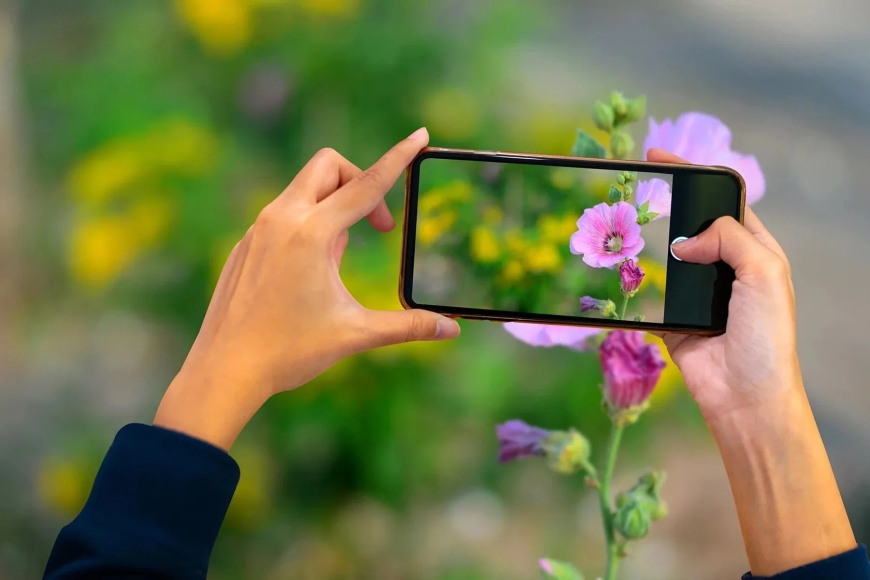
Most phone cameras today are much better than the photos we usually get out of them. You tap the shutter, look at the result and think it is fine, but not quite what you saw with your eyes. The lens and sensor are often not the problem. The real difference comes from the app you shoot with and what you do with the picture afterwards. You do not need a huge editing setup or expert skills. A few good apps can help you at three moments that matter most. When you press the shutter. When you fix small mistakes. When you want all your photos from a trip or event to feel like they belong together.
Think of the apps below as a small toolkit. You will probably not use every one every day, but it helps to know which one to reach for in a specific situation.
1) Lightroom
Imagine you have a photo from a dim cafe or a person standing in front of a bright window. The moment is nice, but the image looks flat. Lightroom is the app you open when you really want to save that shot instead of deleting it. You can change exposure, lift shadows, pull back highlights and fine-tune colour in a very controlled way. There are ready presets and smart suggestions, so you are not staring at sliders with no idea where to start. Over time, you see how each tweak changes the image, and you quietly pick up the basics of editing while fixing your own photos. If you often shoot trips, events or family moments and want them to look more considered, Lightroom is the serious tool in this set.
2) Snapseed
Now take a different scene. You clicked a nice photo, but it is just a little crooked or dull. You have one minute before you move on. That is where Snapseed fits in. Snapseed is lighter and calmer than a full editing suite. You can straighten a frame, crop in tighter, brighten a face, fix white balance and clean up a small distraction in the background. There are filters if you want a simple mood change, but they do not shout over the original image.
For many people, Snapseed becomes the everyday editor that quietly improves most of the camera roll. Lightroom is for days when you feel like working on an image. Snapseed is for days when you simply want it to look better and move on.
3) Halide Mark II
If you use an iPhone and often feel the default camera is doing everything for you, Halide Mark II gives you more control at the moment of capture. It is for people who like the idea of slowing down and making a few choices before they tap the shutter. You can set shutter speed, ISO and white balance yourself, use manual focus and get close up shots on phones that do not officially offer a macro mode. The interface relies on swipes and taps, so once you learn it, it feels quick rather than crowded. Halide makes most sense if you already care about how a picture is made. If you are happy to just point and tap, the Apple camera is fine. If you want your phone to behave more like a small manual camera, this is where you experiment.
4) Open Camera
On Android, the story is different. Every brand ships its own camera app. Some are rich, some are basic, some hide useful tools behind strange menus. If you have ever tried to change one simple setting and given up, Open Camera is worth trying. This app gives you a clear set of manual controls, an auto level option to keep horizons straight, on screen guides and several focus and metering modes. It adds small touches that matter in daily use, such as a screen flash for selfies on phones without a front flash and options to trigger the shutter remotely.
If your built-in camera app feels basic or clumsy, Open Camera is usually the first upgrade to try. It does not change your sensor, but it lets you use it more fully.
5) VSCO
VSCO is less about rescue work and more about giving your photos a consistent mood. Maybe your trip pictures look like they come from five different cameras. This is the app that helps tie them together. You choose from a wide set of presets that can make an image feel softer, cooler, warmer or closer to film. You can still adjust contrast, saturation and grain, but the real strength is the way you can save your favourite mix as a recipe and apply it again later. That makes it easy to give a whole holiday gallery or project the same visual tone without repeating all your edits from scratch.
There is also a community inside the app where people share their work and weekly prompts. On days when you do not know what to shoot, that can be just enough to nudge you out the door with your phone.
You do not need to install every app on this list. A simple starting point is one editor, such as Snapseed or Lightroom and one camera app, such as Halide or Open Camera, depending on your phone. Use them for a week and look at the difference between your old photos and the new ones. Most phones already have the hardware they need. A good app and a little care from you is often what turns an okay snap into a photo you are happy to keep and share.
What's Your Reaction?
 Like
0
Like
0
 Dislike
0
Dislike
0
 Love
0
Love
0
 Funny
0
Funny
0
 Angry
0
Angry
0
 Sad
0
Sad
0
 Wow
0
Wow
0